Service functions
How Zeqenimorux handles information
Each function described below represents a specific stage or capability within the service. They are not independent products but interconnected components of a single organisational system.
Information intake and initial classification
When information enters the Zeqenimorux system, it is assigned to an initial classification based on its type and source. This classification determines how the record will be stored, which category it will appear in, and what attributes will be displayed when a user views it. The intake process does not alter the content of the information; it assigns structural labels to make the content navigable.
Category-level organisation
Records that share common attributes are grouped into categories. Each category is maintained separately, with its own summary view that shows the number of records it contains, the date range covered, and any distinguishing characteristics. Users navigating between categories can see at a glance how each group relates to the others within the broader information set.
Detailed record retrieval
Within any category, users can access a detailed view of individual records. This view presents all attributes associated with the record, including any classification notes, linked observations, and related records. The retrieval process is consistent regardless of the type of information being viewed, which reduces the learning curve for users reviewing multiple categories.
Observation notes and annotation display
Where observations or notes have been associated with a record, these are displayed alongside the record's primary attributes. Annotation display is read-only for standard users; it provides context that the service team has attached to clarify how a record was interpreted at the time of its classification. Annotations do not alter the underlying record.
Interface navigation and session structure
The Zeqenimorux interface is structured around a persistent navigation panel that reflects the current state of the user's information set. As users move between categories and individual records, their position within the overall structure is tracked and displayed. This allows them to return to a previous point in their review without losing the context of where they have already been.
Support and clarification requests
Users who encounter information they do not understand, or who need guidance on how to interpret a particular record or category, can submit a clarification request through the support interface. The support team will review the request and respond with an explanation or, where appropriate, an updated annotation attached to the relevant record.
The review process
From enquiry to active review
Access to the Zeqenimorux information set follows a defined sequence. The following stages describe that process.
Initial enquiry
Submit a question or access request using the enquiry form. Include a description of the type of information you are seeking to review and the purpose of your request.
Assessment by the support team
The support team reviews your submission. They may request additional information if the initial enquiry is incomplete. Assessment does not imply a commitment to provide access.
Access notification
If your enquiry is accepted, you will receive a notification at the email address you provided. The notification will include instructions for beginning your review session.
Interface design
Designed for focused information review
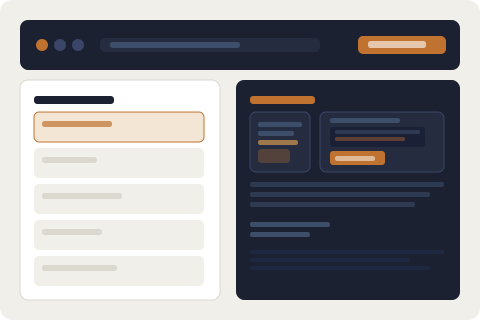
The Zeqenimorux interface is structured to reduce unnecessary navigation. Users move between a small number of well-defined views rather than navigating a complex hierarchy of menus and submenus.
Each view is designed to present the minimum amount of information required to support the task at hand. Category summaries focus on group-level attributes. Record views focus on individual attributes. Annotation views focus on contextual notes. Switching between these views does not require starting a new session.
Request accessReady to submit an access request?
Use the Zeqenimorux enquiry form to describe your request. The support team will review it and respond as soon as possible.